Whole-clinic practice management
One place to run the working day.
From the front desk to clinical records, from stock orders to the next equipment check: bring the day-to-day management of your clinic together. Give each person the tools they need, and keep the wider operation in view.
Appointments, spaces & resources
Organise the working day around the people, spaces and equipment each appointment needs.
- Day and week diary views
- Recurring appointments and classes
- Practitioner availability, leave and room scheduling
- Shared equipment, waiting lists and appointment status tracking
Patient records & ongoing care
Keep the information around a patient together, with access appropriate to the team member.
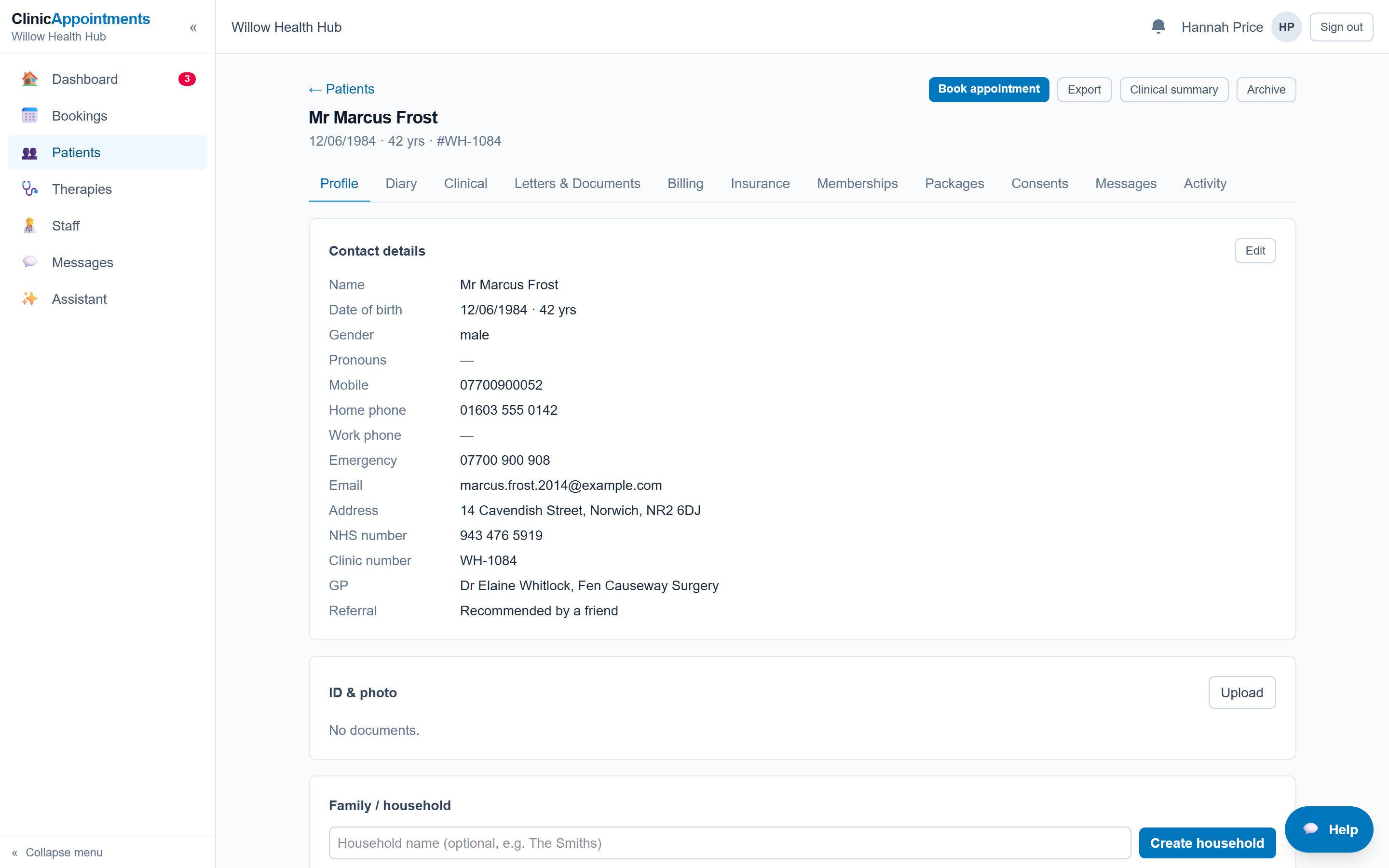
- Patient contact details, access needs and clinical notes
- Note templates, treatment information and caseloads
- Intake forms, consent and documents
- Recalls and import/export tools for patient information
Billing & patient payments
Follow appointments through to billing and keep track of balances.
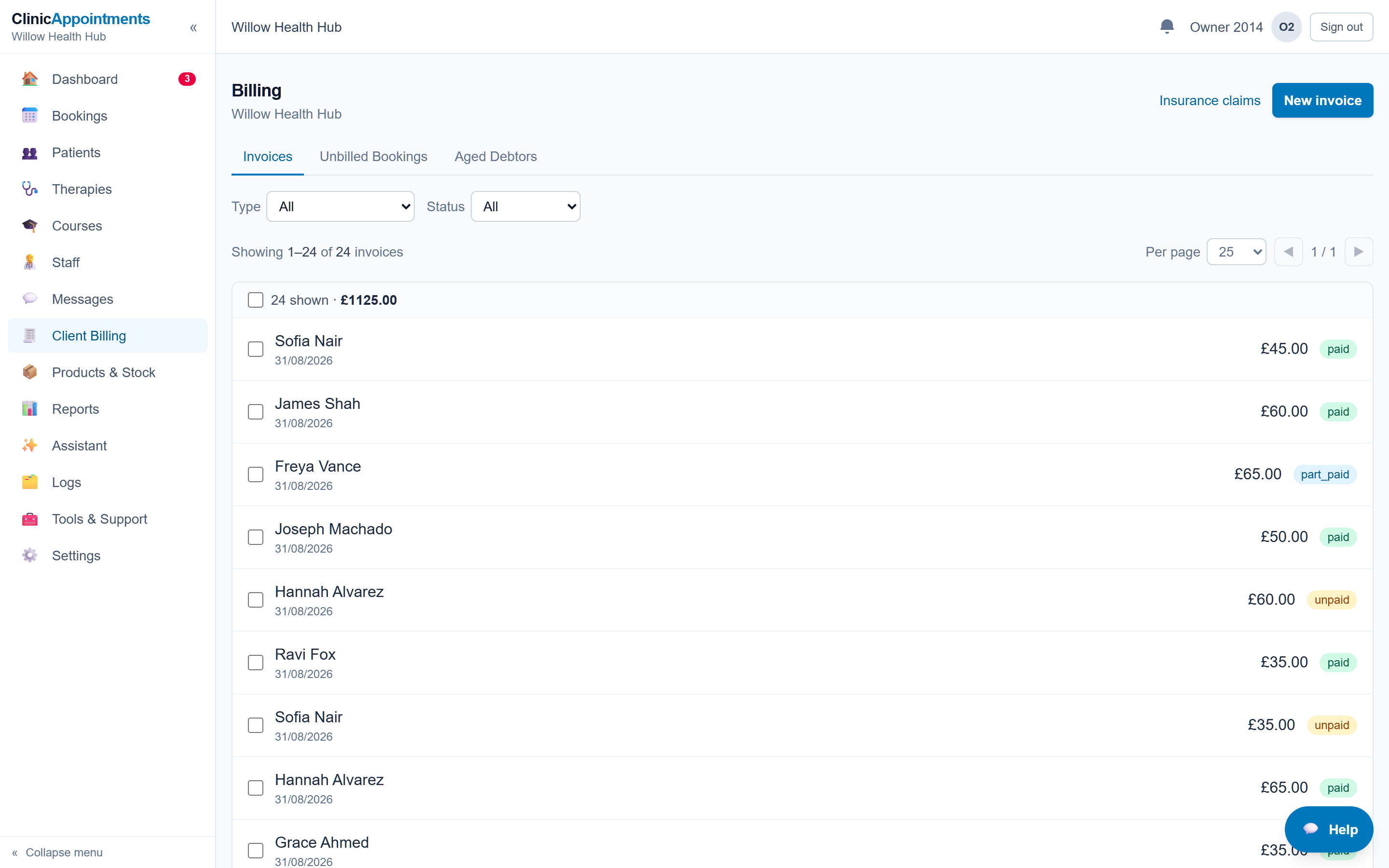
- Invoices, payment records and credits
- Packages, memberships and gift vouchers
- Insurance billing and patient contributions
- Outstanding balances and financial reports
Useful choices for patients
Decide which self-service tools fit your clinic and how patients can reach someone when they need help.
- Online booking and the patient portal
- Appointment reminders and pre-visit forms
- Patient messaging and self check-in
- Video appointments with a configured provider
A shared place to work
Give clinic staff and practitioners tools for the work they need to do.
- Team memberships and access permissions
- Staff messages and tasks
- Communication history
- Tools for working across practitioners and locations
Checks, tasks & clinic upkeep
Organise the jobs that need doing between appointments. Set up schedules, responsibilities and evidence requirements to suit your clinic.
- Recurring tasks for checks, maintenance and renewals
- Assignments, shared queues and due dates
- Evidence, completion history and sign-offs
- A calendar for scheduled checks and overdue work
Products & stock control
Keep track of the products you sell and the supplies you hold, with a record of stock movements.
- Product catalogue, prices and low-stock levels
- Deliveries, batches and stock counts
- Product sales linked to invoicing
- Stock movement history and valuations
Communications & patient relationships
Manage the conversations around care, from an appointment reminder to keeping in touch with patients who have opted in.
- Email and SMS reminders with configured providers
- Patient messages and communication history
- Marketing campaigns and channel consent preferences
- Unsubscribe handling and patient follow-ups
A view of how the clinic is doing
Bring activity and financial information into the management conversation, and export figures for further work.
- Appointment activity and attendance reporting
- Practitioner utilisation and clinic performance
- Income, balances and financial reporting
- CSV exports for analysis and accounting workflows
Add what your clinic needs
Some workflows need extra setup or a separate service. Discuss availability and any provider charges during your demo.
- Optional human reception support
- AI call handling and clinical drafting tools, with human review
- Payment and messaging provider connections
- API access and webhooks for integrations
Works alongside your accounting and HR systems.
The Clinic Diary handles operational billing, stock, reporting and team coordination. Full accounts, payroll and employment administration belong in your dedicated accounting and HR systems. Use reports and CSV exports to support those processes, and discuss any integration requirements before deciding.
Scheduled checks help your team organise responsibilities and keep evidence. Your clinic remains responsible for deciding which checks apply and carrying them out.
Use your demo to confirm the features included in your proposed setup. Connected services depend on provider configuration. AI-generated content needs review by an appropriate member of your team.
Read the developer documentation →Your clinic, your way of working
Let’s look at your working day.
Tell us a little about your clinic. We can talk through the diary, the paperwork and what you would like to make easier.