From the first conversation at reception……to the appointments and classes that follow.
The whole clinic, working together
Care, people and the business around them.
Running a clinic means looking after patients and keeping a business moving. Give reception, practitioners and the people managing the clinic a shared place to organise their work.
01 / At the front desk
See who’s coming in.
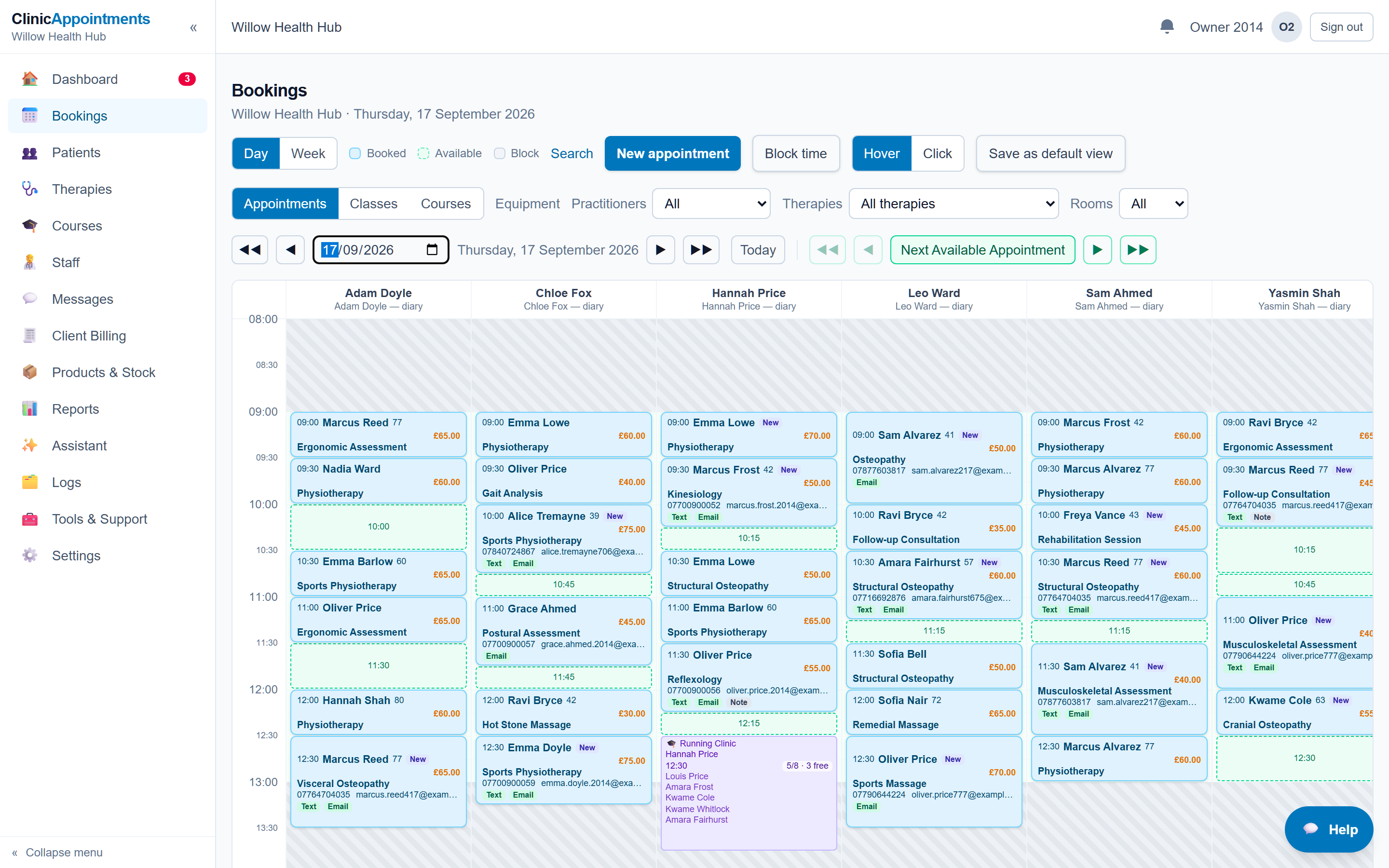
View appointments by practitioner, find a space and make a booking. Keep rooms, availability and waiting lists in the same system, so the team has somewhere to check when plans change.
Working across a team means different people need different views. Clinic staff and practitioners can work with the access assigned to them.
02 / Between appointments
Pick up the patient’s story.
Bring contact details, forms and clinical notes together in the patient record. Use templates for the information you record regularly, while keeping room for the details that matter to that patient.
When a patient returns, their record is the starting point for the next appointment.
03 / Before you head home
Keep track of what’s outstanding.
Create invoices, record payments and review the work that still needs attention. Billing and reporting sit alongside the diary, so the administration can follow the appointment.
In a demo, we can follow a booking through to its invoice using examples relevant to your clinic.
Everything around the diary
The details that keep a clinic running.
A room to prepare. Stock to replenish. A renewal coming up. Keep the operational work in view alongside the appointments.
People, rooms & equipment
Organise practitioner availability, leave, rooms and shared equipment. Assign tasks and hand work over between colleagues.
Checks, renewals & follow-ups
Schedule recurring tasks, record evidence and track sign-offs for routine checks and renewals. Follow up outstanding forms, notes and invoices.
Stock, income & the bigger picture
Manage products, deliveries and stock counts alongside invoices, packages and insurance billing. Review clinic activity and financial reports.
Patients & ongoing relationships
Manage reminders, messages, recalls and patient campaigns, with online booking and portal access for the services your clinic offers.
Built for day-to-day clinic management. Keep your accounting and HR systems for full accounts, payroll and employment administration; use reports and CSV exports to support that work.
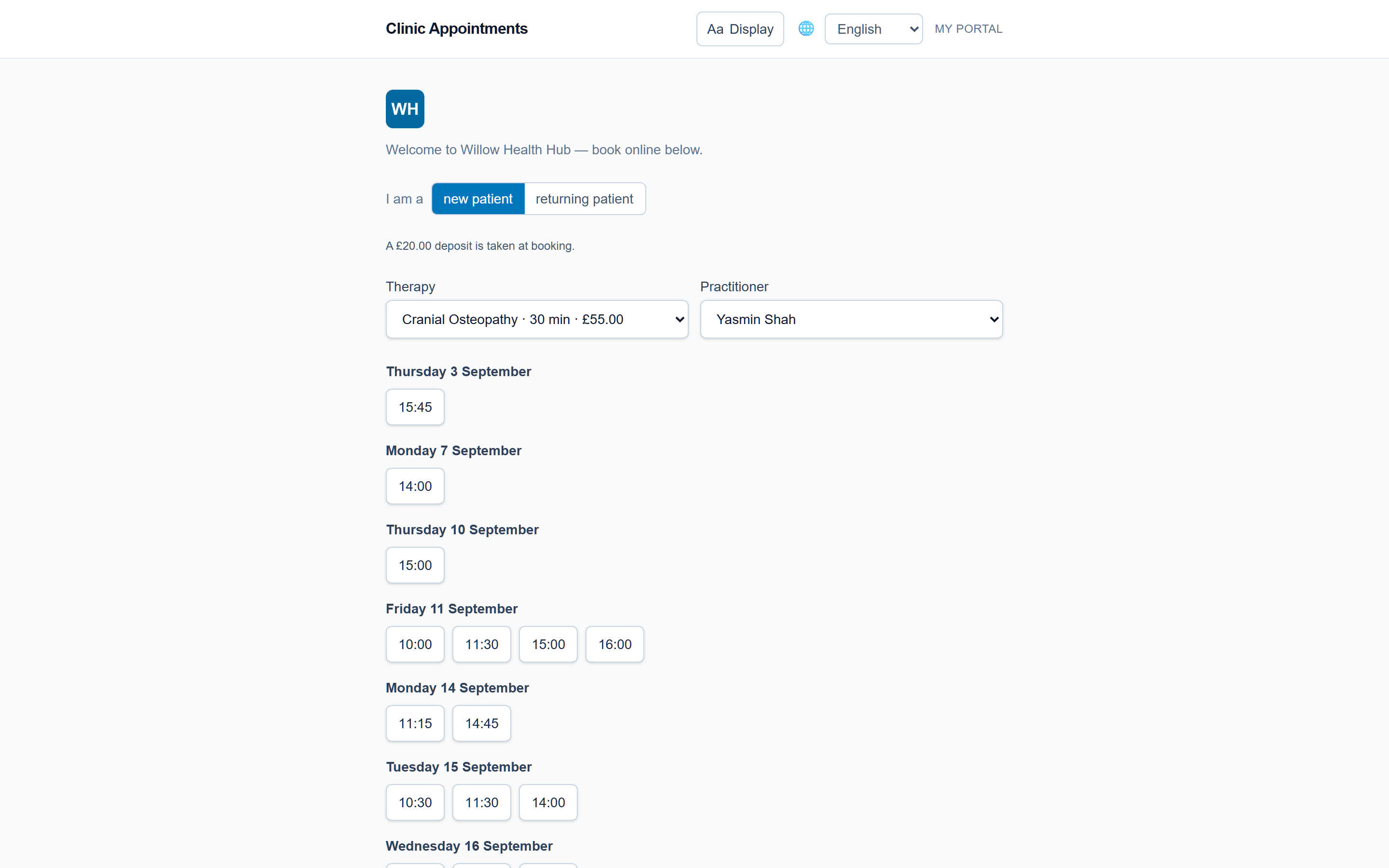
Online booking, appointment reminders and forms before a visit can take some of the back-and-forth out of arranging care.
Your clinic chooses what to offer. Patients can use the portal for the available self-service options, and your team can still book appointments over the phone.
Keep the choices clear: what can be booked online, what needs a conversation, and how to get help. Translated content and patient-facing forms should be checked as part of your setup.
If answering calls is taking you away from appointments, talk to us about reception support. Agree how bookings, messages and handovers should work for your clinic.
Human reception support and AI call handling are separate options. The right arrangement depends on the calls you receive, your opening hours and when a person needs to step in.
Discuss the software your clinic needs and any optional services. Ask for a written breakdown of recurring charges, setup and usage costs before deciding.
Start with your current system and the information you need to bring. Agree the import scope, check a sample and plan the changeover around your clinic.
Patient information needs careful handling. Review staff access, provider arrangements and your clinic’s responsibilities as part of the setup conversation.
The Clinic Diary covers day-to-day clinic operations, including invoicing, payment records, stock, reporting, practitioner availability and team tasks. Keep your accounting and HR systems for full accounts, payroll and employment administration. Reports and CSV exports can support your work with those systems; discuss any specific integration requirements during your demo.
Who is The Clinic Diary for?
Independent clinics and practitioners who need to organise appointments, patient records and the work around them. In a demo, we can look at how your particular treatments, team and locations would fit.
Can we bring our existing records?
There are tools for importing patient information. The starting point is to check what your current system can export and agree which information can move. Notes, attachments and historical billing need their own checks; we will discuss the scope before you decide.
Do we have to use the call answering service?
No. Call answering is an optional service to discuss separately from the software. You can continue to answer your own calls. Human reception support and AI call handling are different options, with different setup and handover needs.
Can patients still book over the phone?
Yes. Staff can make bookings in the diary. Online booking and the patient portal give patients another way to deal with appointments when your clinic chooses to offer them.
What happens when I request a demo?
You send an enquiry with your clinic and contact details. We can then discuss your needs and arrange the next step. Sending the form does not create an account, start a trial or commit you to a subscription.
Your clinic, your way of working
Let’s look at your working day.
Tell us a little about your clinic. We can talk through the diary, the paperwork and what you would like to make easier.